How Zero Trust Network Access (ZTNA) Revolutionizes Secure Remote Desktop and Virtual Desktop Infrastructure



How Zero Trust
Network Access (ZTNA) Revolutionizes Secure Remote Desktop and Virtual Desktop
Infrastructure
By Murugavel Muthu | Published: 23-07-2025 | 5 min read
The Dual
Challenge: Security and Cost Optimization
Picture this: It's 2:47 AM, and you're jolted awake by your phone buzzing with alerts. Your SOC team has detected unusual data exfiltration patterns. Within minutes, you discover the harsh reality - attackers have been moving laterally through your network for weeks, all starting from a single compromised Remote Desktop Protocol (RDP) connection.
This isn't a dystopian scenario. It's Monday morning for countless security leaders worldwide.
But here's what makes this challenge even more complex: while organizations desperately need better remote desktop security, they're simultaneously under pressure to optimize IT costs and reduce infrastructure spending. This creates a seemingly impossible situation - how do you strengthen security while reducing expenses?
This blog addresses both critical challenges by exploring how Zero Trust Network Access (ZTNA) serves a dual purpose:
1) dramatically improving RDP security by eliminating traditional
vulnerabilities
2) enabling significant cost optimization through secure Virtual
Desktop Infrastructure (VDI) implementations.
According to IBM's 2024 Cost of a Data Breach Report, the average cost of a data breach has reached $4.45 million globally. Meanwhile, Sophos' 2024 Active Adversary Report reveals concerning trends around remote desktop vulnerabilities that continue to plague organizations worldwide.
The Anatomy of
a Remote Desktop Security Catastrophe
Traditional remote desktop solutions operate on a fundamentally flawed premise: trust the network, secure the perimeter. This approach made sense when employees worked within physical office boundaries, but the pandemic shattered these assumptions permanently.
The Traditional Flow:
● Employee connects via VPN
● System grants broad network access upon authentication
● User accesses multiple resources through the same connection
● Session remains active with persistent privileges
● Lateral movement becomes trivial for any threat actor
The Hidden Dangers:
● Credential Stuffing Attacks: With billions of compromised credentials available on dark web markets, attackers systematically test username/password combinations against RDP endpoints
● Brute Force Campaigns: Automated tools scan for exposed RDP ports and launch continuous password attacks
● Session Hijacking: Once inside, attackers can maintain persistent access and escalate privileges across the network
In documented security incidents, researchers have observed attackers successfully compromising the same victim organization multiple times over six-month periods. Each breach followed an identical pattern: initial access through exposed RDP ports, followed by credential harvesting, lateral movement, and data exfiltration.
Zero Trust
Network Access: The Security Paradigm Shift
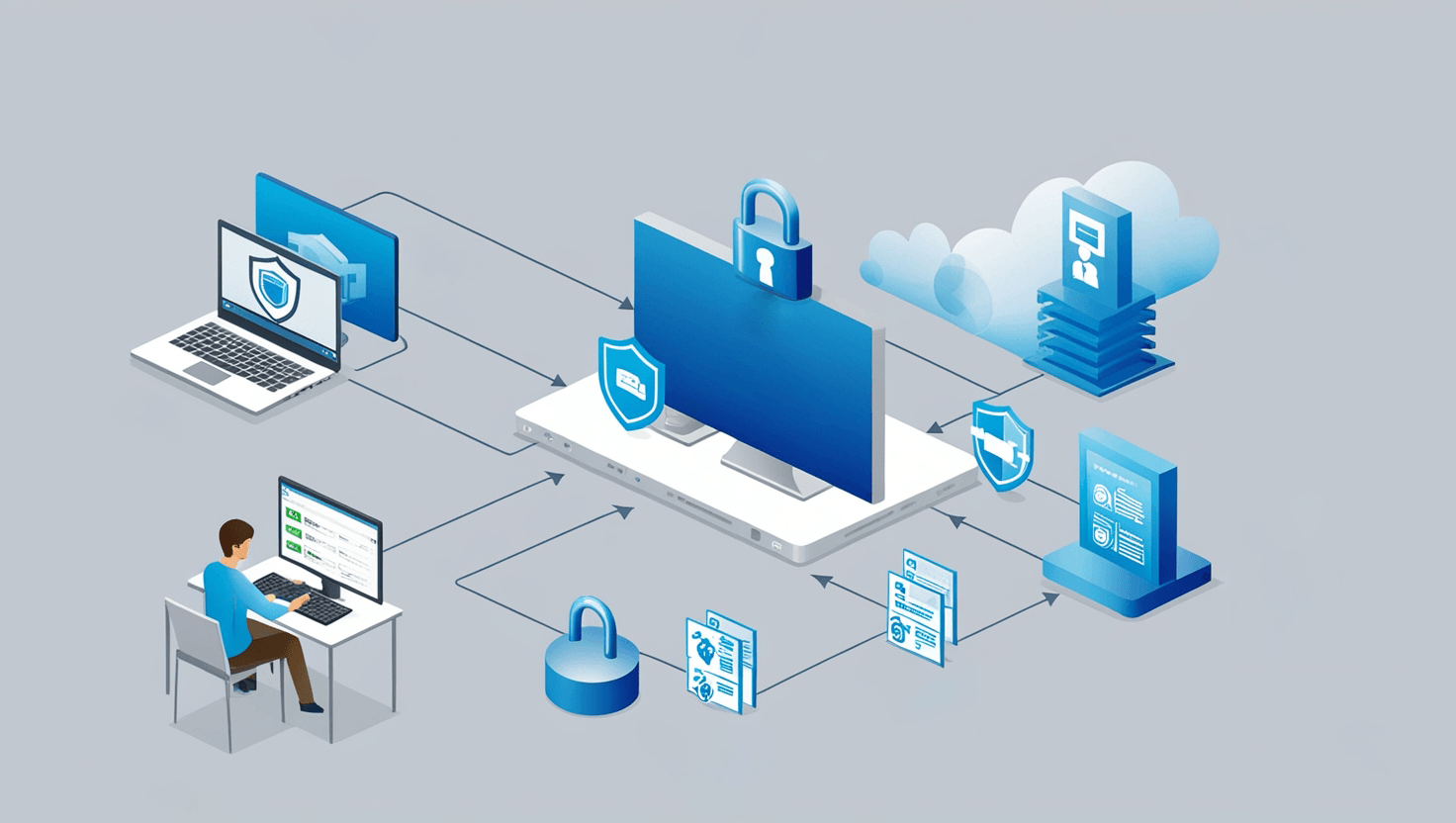
ZTNA fundamentally shifts from "trust the network" to "verify every request." Instead of broad network access after authentication, ZTNA creates encrypted micro-tunnels directly between users and specific applications.
Key advantages for remote desktop security:
● Application-specific access without network visibility
● Continuous identity and risk verification
● Session isolation that prevents lateral movement
● Comprehensive behavioral analytics and monitoring
Even if credentials are compromised, attackers remain contained to authorized applications with no ability to pivot across the network.
The Cost
Optimization Connection: How ZTNA Enables VDI Economics
Here's where the dual benefit becomes clear: ZTNA's robust security model directly enables organizations to safely implement VDI solutions that were previously too risky with traditional remote access methods. This security enhancement unlocks substantial cost optimization opportunities.
Why Traditional RDP Prevents Cost Optimization: Traditional remote desktop security concerns force organizations to maintain powerful, expensive endpoint devices because:
● Security requires local processing power for endpoint protection
● Direct network access demands robust local security capabilities
● Breach containment relies on endpoint-based security tools
● Compliance requirements mandate sophisticated local security infrastructure
How ZTNA Changes the Economics: With ZTNA providing application-level security and session isolation, organizations can safely shift to VDI models where:
● Processing occurs centrally in secure data centers
● Endpoints become simple display devices
● Security is centralized and manageable
● Compliance is achieved through infrastructure controls
Realistic Cost
Analysis: ZTNA-Enabled VDI Savings
Let's examine realistic cost scenarios for Indian enterprises, using conservative estimates and accounting for all associated costs.
Traditional
vs. VDI-Enabled Costs
Current Market Reality:
● Business laptops in India typically range from ₹35,000-₹75,000 ($420-$900) for enterprise deployments
● Average replacement cycle: 4 years
● Thin clients available from ₹12,000-₹18,000 ($145-$215)
● Thin client lifecycle: 6-7 years
Conservative
Cost Comparison
Example: 500-employee Indian organization (4-year analysis)
Traditional Model:
● Average laptop cost: ₹50,000 ($600) per device
● Total hardware cost: ₹2.5 crores ($300,000)
● Annual IT support: ₹12 lakhs ($14,400)
● Power and space: ₹4 lakhs annually ($4,800)
ZTNA-Enabled VDI Model:
● Thin client cost: ₹15,000 ($180) per device (6-year cycle)
● Total thin client cost: ₹75 lakhs ($90,000)
● VDI infrastructure and ZTNA licensing: ₹1.2 crores annually ($144,000)
● Reduced IT support: ₹6 lakhs annually ($7,200)
● Reduced power and space: ₹2 lakhs annually ($2,400)
4-Year Total Cost Analysis:
● Traditional Model: ₹3.14 crores ($377,600)
● ZTNA-VDI Model: ₹5.55 crores ($666,000)
Wait - this shows VDI costs more initially. However, the real savings emerge when we factor in:
The
Complete Picture: Hidden Traditional Costs
Security Incidents: Organizations using traditional RDP face average annual security incident costs of ₹8-15 lakhs ($9,600-$18,000) according to industry studies.
Productivity Losses: Remote desktop performance issues and security restrictions reduce productivity by an estimated 5-8% annually.
Compliance Costs: Meeting compliance requirements with distributed endpoints costs significantly more than centralized VDI infrastructure.
Revised 4-Year Analysis (Including Hidden Costs):
● Traditional Model Total: ₹4.2 crores ($504,000)
● ZTNA-VDI Model Total: ₹5.55 crores ($666,000)
● Net Additional Investment: ₹1.35 crores ($162,000) over 4 years
The
Long-Term Value Proposition
While VDI requires higher initial investment, organizations typically see break-even by year 3-4, with significant savings emerging in subsequent years due to:
● Extended thin client lifecycles (6-7 years vs. 4 years for laptops)
● Dramatically reduced security incident costs
● Improved productivity through consistent, high-performance virtual desktops
● Simplified compliance and audit processes
Remote Desktop
Security Transformation: Before vs. After ZTNA
|
Security Aspect |
Traditional RDP |
ZTNA-Enabled RDP |
|
Initial Access |
Username/password or basic MFA |
Identity verification + device trust + risk assessment |
|
Network Exposure |
Full network visibility after authentication |
Zero network visibility, direct application access |
|
Session Management |
Persistent until manual logout |
Continuous re-authentication based on risk |
|
Lateral Movement |
Unrestricted across network segments |
Impossible - no network-level access granted |
|
Monitoring |
Limited to connection logs |
Comprehensive behavioral analytics |
|
Breach Containment |
Network-wide exposure |
Limited to specific authorized applications |
Key Features
Every ZTNA Solution Must Deliver
Essential Capabilities:
● Micro-segmentation: Isolate each user session and application access
● Granular access control: Application-specific permissions based on user roles
● Real-time monitoring: Continuous session analytics and threat detection
● Encrypted tunnels: End-to-end encryption for all remote desktop connections
● Policy-based access: Dynamic access decisions based on contextual factors
● VDI optimization: Native support for virtual desktop infrastructure deployments
Common ZTNA
Implementation Pitfalls and How to Avoid Them
Pitfall #1: Insufficient User Experience Planning One of the biggest mistakes organizations make is implementing ZTNA solutions that create friction for legitimate users. Complex authentication processes can lead to productivity losses and user resistance.
Solution: Prioritize seamless authentication flows that adapt to user behavior and context. Modern ZTNA platforms can implement single sign-on integration and adaptive authentication that maintains security without compromising user experience.
Pitfall #2: Incomplete Application Discovery
Many
organizations rush into ZTNA deployment without fully mapping their application
landscape. This creates security gaps that leave remote desktop environments
vulnerable to attack.
Best practice: Conduct thorough network scanning and maintain continuous application inventory. Automated discovery tools can map your entire remote access infrastructure, ensuring comprehensive coverage and protection.
Pitfall #3: Unrealistic Cost Expectations Organizations often expect immediate cost savings from ZTNA implementation without understanding the investment required for proper VDI infrastructure.
Recommended approach: Develop realistic 3-5 year cost models that account for infrastructure investment, training costs, and gradual migration timelines. Focus on long-term value rather than immediate savings.
Pitfall #4: Overly Restrictive Initial Policies Starting with overly strict policies often backfires, creating user frustration and IT support burdens.
Recommended approach: Begin with baseline policies that ensure security while maintaining productivity, then gradually optimize based on actual usage patterns and risk assessments.
Implementation
Considerations
When evaluating ZTNA solutions, prioritize platforms that offer:
● Advanced micro-segmentation for complete session isolation
● Granular access control with policy-based permissions
● Real-time monitoring with behavioral analytics
● Encrypted tunnels for all remote desktop connections
● Seamless integration with existing security infrastructure
● Native VDI optimization capabilities to maximize both security and operational benefits
Conclusion: The
Strategic Imperative
The convergence of escalating security threats and the need for sustainable IT economics demands a fundamental shift in how organizations approach remote desktop access. ZTNA represents more than a security upgrade - it's a strategic transformation that strengthens security posture while enabling more flexible and potentially cost-effective infrastructure models.
The evidence is clear: organizations that implement ZTNA can significantly reduce the primary attack vectors that compromise remote desktop environments. While the cost benefits require careful planning and realistic expectations, the long-term value proposition includes both enhanced security and operational flexibility that traditional approaches cannot match.
Take the first step toward eliminating RDP vulnerabilities while optimizing your IT budget.
Not sure where to start with Zero Trust implementation? Our ZTNA FAQ page covers everything from deployment steps to common challenges.
Additional
Resources:
Get started with our Setup & Configuration Demo Guide
Contact a COSGrid Security Expert for a personalized consultation
Explore COSGrid ZTNA Solutions for detailed product information
Explore
Related Articles:
Five Aspects of Zero Trust Network Access (ZTNA) that Business VPN users might be unaware of
VPN vs ZTNA - Based on the Customer Interactions